CAIT User Manual
Membership Form Details
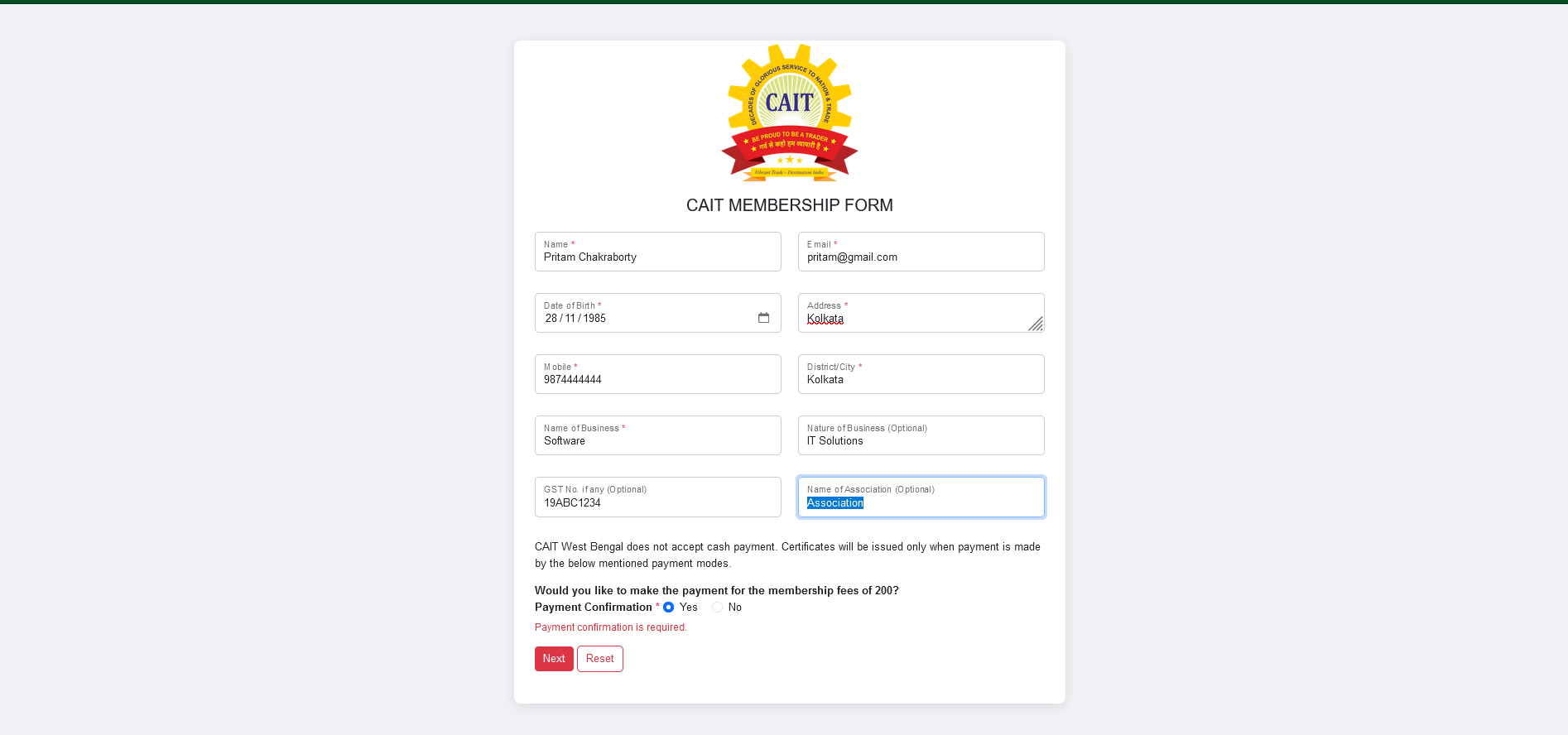
To complete the CAIT membership form, please provide the following details:
- Name: Mandatory
- Email: Mandatory
- Date of Birth: Mandatory
- Address: Mandatory
- Mobile Number: Mandatory
- District/City: Mandatory
- Name of Business: Mandatory
- Nature of Business: Optional
- GST Number: Optional
- Name of Association: Optional
- Payment Confirmation: Must be selected as Yes
Form Submission
After filling up the form, you can:
- Click on the Reset button to clear all filled data.
- Click on the Next button to proceed to the payment page.
Payment Process
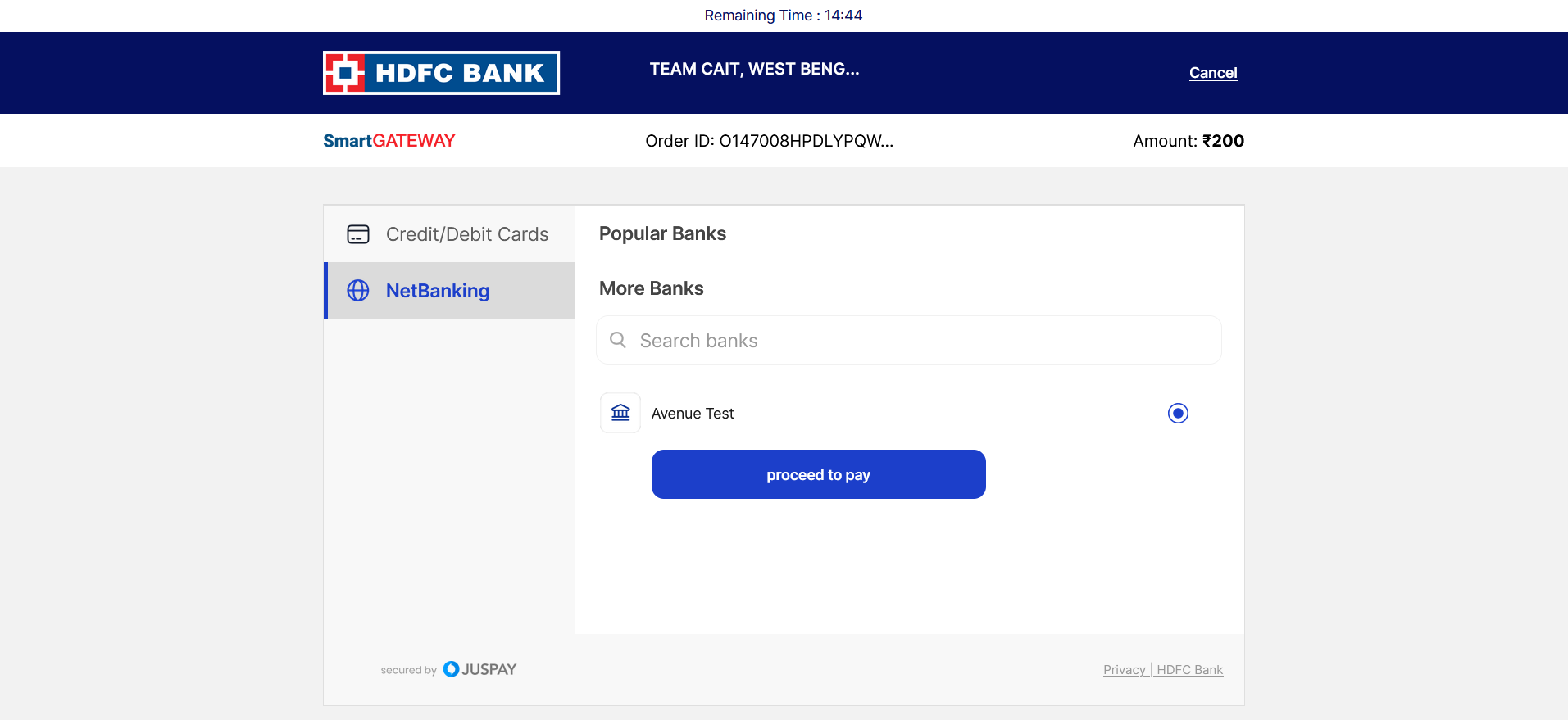
On the Payment Page, you can pay using:
- Credit/Debit Card
- NetBanking
After making the payment, click on the Proceed to Pay button.
Payment Confirmation
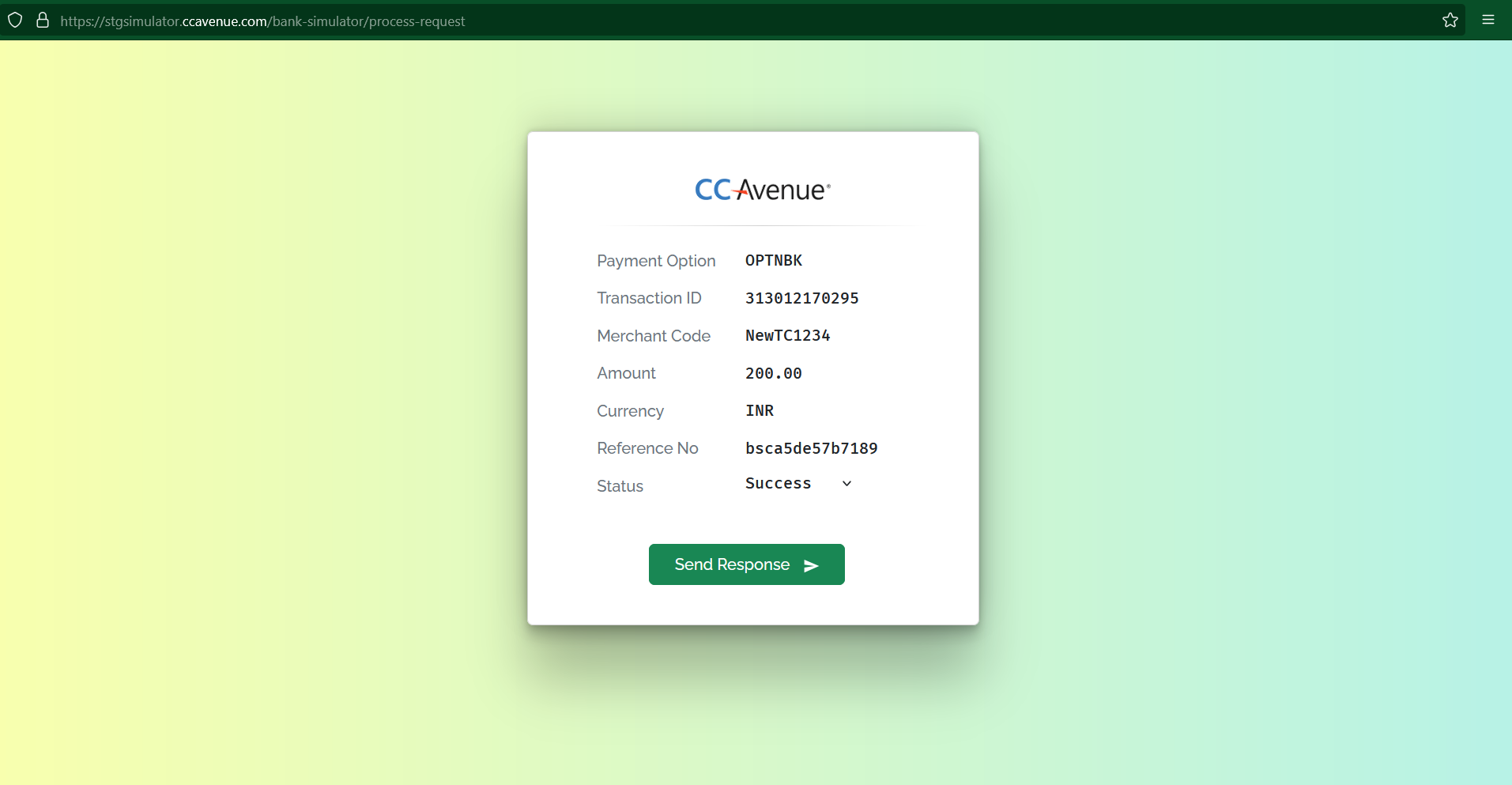
Once the payment is successful, confirm the payment by clicking on the Send Response button.
Payment Response
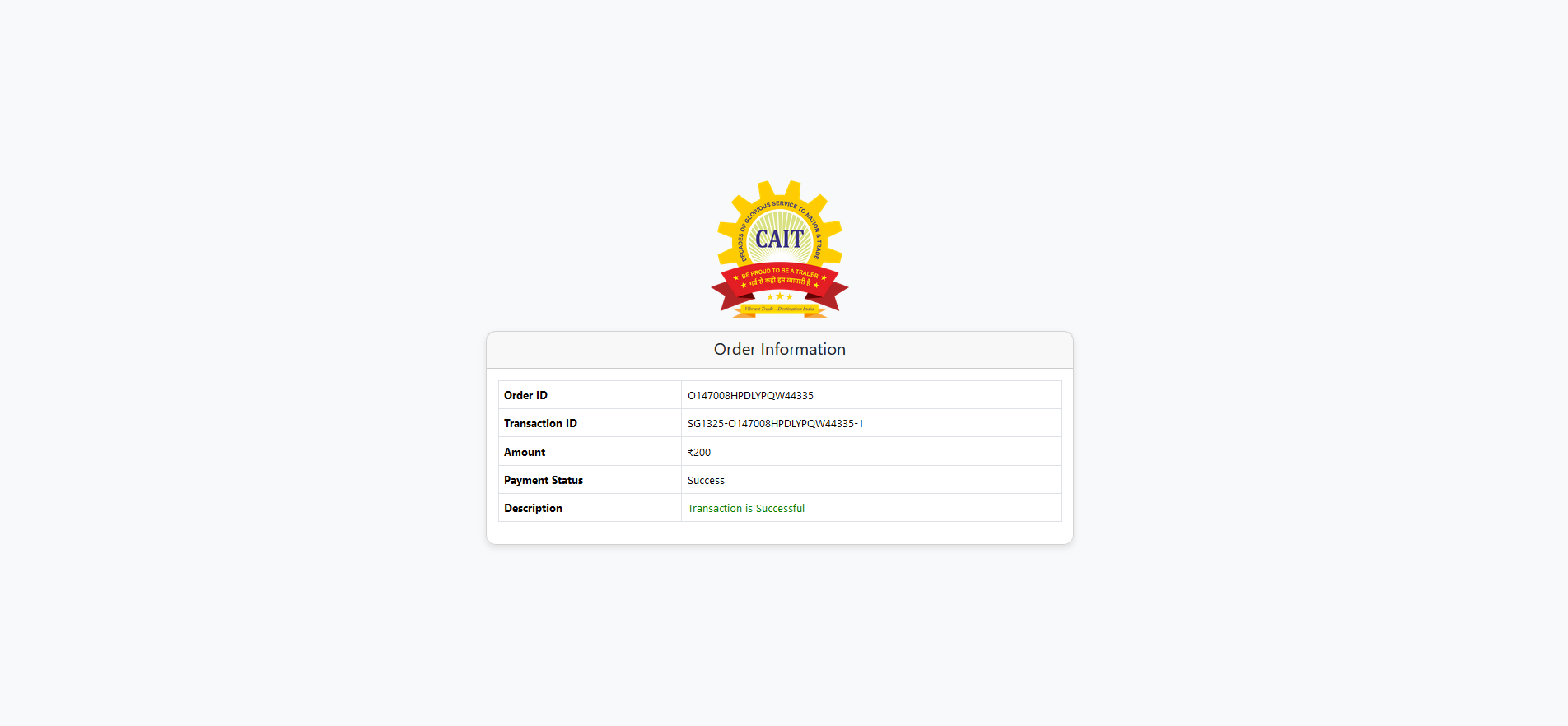
Once the payment is completed, a Payment Response will be displayed, confirming the status of your transaction.